12.11.26

Call Recording Sync from Your Phone's Dialler: A Plain Guide for Sales Teams


Ask a sales manager why they want call recordings and you'll hear the same few reasons: a customer disputes what was promised, a new telecaller needs to learn from good calls, or a lead goes cold and nobody remembers what was said last time. So teams go looking for call recording backup. The trouble is that "call recording" means different things in different apps, and the difference matters for what you can expect, what your phone has to do, and what your CRM should and shouldn't claim.

This guide explains the idea in plain words. KroLead is an Android phone CRM (get it on Google Play), and we use our own setup as the example, but the questions apply to any tool you're looking at. The product page is at krolead.com/call-recording-backup-android.

Why sales teams look for call recording backup

Most small teams sell from their own phones and SIMs. Calls happen in the normal dialler, between site visits, at the shop counter or from home. If a recording exists at all, it sits in a folder on one person's phone. When that person changes phones, leaves the team, or simply can't find the file, the recording is as good as lost.

A backup solves the "where is it" problem. A CRM solves a bigger one: which customer was this, and what happens next? A file named with a date and a number tells you very little a week later. The same file, sitting on the lead's record next to notes and the next follow-up date, tells you the whole story.

Dialler recordings vs CRM lead history

There are two separate things here, and it helps to keep them apart:

  • The dialler recording. On many Android phones, the built-in phone app can save a recording of a call. Whether it can, and how you switch it on, depends on the phone maker, the dialler app, the Android version and local rules. This is a setting on your phone, not in your CRM.
  • The lead history. This is what your CRM keeps for each customer: who they are, the stage they're in, notes from each conversation, and the next follow-up. It works whether or not a recording exists.

A CRM that "does call recording" might mean it records the audio itself, or it might mean it picks up files your phone already saved. Those are very different claims, so always ask which one you're buying.

What "Call recording sync (from your phone's dialler)" means

In KroLead, the feature is called Call recording sync (from your phone's dialler). It works in one direction and in one order:

  1. You make or take a call in your phone's normal dialler, as usual.
  2. If your phone's own dialler saves a recording of that call, a file now exists on the phone.
  3. KroLead syncs that recording to the matching lead's call history, so it sits next to the notes and follow-ups for that customer.

If your phone doesn't save a recording, there is nothing to sync, and the rest of the CRM still works: notes, stages, the 30-day Agenda and reminders don't depend on audio.

What KroLead does not claim

Being clear about limits saves everyone time:

  • KroLead does not record calls itself. The recording, if any, comes from your phone's dialler.
  • It does not make recording available on a phone that can't record. Check your phone first.
  • The claim stops at sync: the file goes onto the lead's call history, and we promise nothing beyond that.
  • It is Android only, and it isn't an auto-dialler or a cloud telephony system.

Whatever tool you use, follow the consent rules that apply where you and your customers are before recording or sharing any call.

Pairing sync with Call Pilot and follow-up reminders

A recording is a record of the past. Sales depends on the next step. That's why the most useful habit isn't saving audio; it's writing two lines and a date the moment a call ends.

KroLead's Call Pilot helps with exactly that. Before a call, a pop-up over your dialler shows the lead's name, tags, stage, next follow-up date and the last two conversations. After the call, it asks for conversation notes, the next follow-up date and time, and deal details such as the stage. Choose Log & Save and the callback lands on your 30-day Agenda, with a reminder on your phone at the time you set.

Put together, each lead ends up with one timeline: your notes, the stage changes, and any recording your dialler saved, all in one place. A teammate who picks up the lead later can see what happened without hunting through someone else's phone. If your team works from a phone-first process like this, our page on call-based CRM explains the wider setup.

How this looks in different regions

Say you run a UK estate agency or service business. Viewings and callbacks often happen from a personal Android phone. If your phone's own dialler saves a recording, Call recording sync (from your phone's dialler) can place that file on the matching lead, next to the note and the next follow-up, instead of in a folder only one person can open.

Say you run a US insurance office or a home-services team. When an associate takes a colleague's lead, the lead history already has the notes, the stage and any file the sync has placed there, so the callback starts from the same record.

Say you run a property brokerage in Dubai. The same pattern holds: the recording, if any, comes from the dialler on each phone, and the CRM keeps the lead in one place so a teammate isn't hunting through someone else's files.

Local lead records work offline

Field calls often happen where the signal is weak. Local lead records work offline in KroLead, so you can open a lead, add a note and set the next date with no network. Changes sync when you're back online. Anything that needs the server, such as syncing to a teammate's view, waits for a connection to finish.

A quick setup checklist for your team

  • On each phone, check whether the dialler can save call recordings and where it saves them.
  • Agree on one rule: no call ends without a note and a next follow-up date.
  • Give every lead one owner, so callbacks don't fall between two people.
  • Review overdue follow-ups each morning, not just call counts.
  • Treat recordings as a backup to good notes, never as a replacement.

FAQ

Does the CRM record the call itself?

No. KroLead does not record calls itself. If your phone's own dialler saves a recording, KroLead offers Call recording sync (from your phone's dialler) to the matching lead's call history.

Where should follow-up notes live?

On the lead record, next to the call history. In KroLead, Call Pilot asks for notes and the next follow-up date right after each call, so they're saved on the same lead.

Is there an Android app?

Yes. KroLead is Android only. Get KroLead on Google Play; Start with 1 month free, then from $8/month.

Start with 1 month free, then from $8/month

KroLead is a telecalling and mobile CRM for Android teams, available in 32 languages. Get KroLead on Google Play. Start with 1 month free, then from $8/month. Sign up in the app with Google, Facebook or email, and your first month starts automatically. More at krolead.com.

Related pages on krolead.com: call recording backup for Android, call-based CRM and the telecalling CRM app.

#BusinessGrowth #SalesCRM #LeadManagement #krolead #TelecallingCRM #MobileCRM

11.11.26

Android CRM App with Offline Mode: What Works When the Signal Drops

KroLead featured image: Android CRM app with offline mode, with an Android phone showing the 30-day Agenda (lead names masked) and the offer strip Start with 1 month free, then from ₹239/month.

Field sales doesn't happen in an office with good Wi-Fi. It happens in basements, half-built sites, small-town markets and on the road between two customers. If your CRM needs a signal to open a lead, it fails at exactly the moment you need it. That's why so many small teams search for an Android CRM app with offline mode, and why it's worth knowing what "offline" actually means before you choose one.

What "offline mode" should mean

Offline mode isn't one feature. It's a promise about where your data lives. In a good mobile CRM, the lead records you work with every day are stored on the phone itself, and the app syncs them with the server when the connection comes back. You can open a lead, read the last note, add a new one and set the next follow-up date with no signal at all.

A weaker version only caches the screen you looked at last. It looks offline until you tap a different lead and get a spinner. The difference matters on a field day, because you rarely know in advance which customer you'll need next.

What you should be able to do with no signal

  • Open any lead you work with and see its name, stage, tags and recent notes.
  • Write a note right after a call or visit, while the details are fresh.
  • Set the next follow-up date and time, so the callback is planned before you drive away.
  • Move a lead to its next stage in your pipeline.
  • See today's plan: who's due, who's overdue and who has no next step yet.

If an app can't do these five things offline, it's an online CRM with a phone screen, not an offline-ready one.

What will reasonably wait for a connection

Some things can't happen without the internet, and an honest app won't pretend otherwise. Anything that has to reach a server or another person needs a connection to finish: syncing your changes to the owner's view, sending a message to a teammate, running a cloud backup, or asking an AI feature to summarise a lead. A good app queues your local changes and picks up the sync where it left off once you're back online, so nothing you typed in the basement is lost.

A five-minute test before you commit

  1. Install the app and add three or four test leads while you're online.
  2. Turn on airplane mode.
  3. Open each lead, add a note, set a follow-up for tomorrow and change one stage.
  4. Close the app completely, then open it again, still in airplane mode. Are your changes still there?
  5. Turn the network back on and check that the changes appear for the owner or on a second phone.

This test tells you more than any feature list. It takes five minutes and needs no sales call with a vendor.

Offline mode is only half of the field-day problem

The other half is remembering to log anything at all. On a busy day, the call ends, the next one rings and the note never gets written. The best fix is a CRM that asks for the note at the moment the call ends, instead of waiting for you to remember in the evening.

This is where a telecalling CRM built for phones helps. Because it lives on the same Android phone you call from, it can step in right after each call and ask for the outcome and the next date, while the customer's words are still in your head.

How KroLead handles field days

KroLead is a phone CRM for Android, built for small sales and telecalling teams. Local lead records work offline and sync when you're back online. Before a call, Call Pilot shows a pop-up over your dialler with the lead's name, tags, stage, next follow-up date and the last two conversations. After the call, it asks for conversation notes, the next follow-up date and time, and the stage, so you can log the call and move on.

The 30-day Agenda shows who is due each day and counts leads with no follow-up set, and follow-up reminders arrive on your phone at the time you chose. If your phone's own dialler saves call recordings, KroLead offers call recording sync (from your phone's dialler) to the lead's call history. KroLead does not record calls itself. The app is available in 32 languages.

Honest limits: KroLead is Android only, it isn't an auto-dialler, and features that need a server, such as AI Brief, team chat and cloud backup, need a connection to complete.

FAQ

Does KroLead work with no internet at all?

Local lead records work offline. You can open a lead, add notes, change the stage and set the next follow-up without a signal, and the changes sync when you're back online. Features that need a server, such as AI Brief, team chat and cloud backup, wait for a connection.

Does KroLead record my calls in the field?

No. KroLead does not record calls itself. If your phone's own dialler saves recordings, KroLead offers call recording sync (from your phone's dialler) to the lead's call history.

Which phones and languages does it support?

KroLead is Android only, and the app is available in 32 languages, so a mixed-language field team can each use their own.

Quick checklist

  • Lead records stored on the phone, not just cached screens.
  • Notes, follow-up dates and stage changes work in airplane mode.
  • Changes survive closing and reopening the app.
  • Sync resumes by itself when the signal returns.
  • The app prompts you to log the call, so offline notes actually get written.

Try it on a field day: get KroLead on Google Play. Start with 1 month free, then from ₹239/month. More at krolead.com.

Related pages on krolead.com: KroLead's offline CRM for Android, the Android CRM app overview and field sales CRM on Android.

#BusinessGrowth #SalesCRM #LeadManagement #krolead #TelecallingCRM #MobileCRM

10.11.26

Phone CRM vs Calling System: What a Small Telecalling Team Needs

Every telecalling team wants the same thing: a day where every call ends with a clear next step and no promised callback slips through. When owners start looking for software, they often find two very different products sold with similar words. One is a calling system. The other is a phone CRM. Picking the wrong one means paying for things you don't use, or still losing follow-ups after you've paid.

What a calling system is

A calling system is about the call itself: phone lines, virtual numbers, a PBX that routes incoming calls, IVR menus, and sometimes an auto-dialler that rings numbers one after another. It's built for the moment the phone rings. Call centres with many seats and shared numbers often need this.

What a calling system usually doesn't do well on its own is remember the customer. It knows a call happened and how long it lasted. It doesn't know that this lead wants the 12-seater, asked for a price on Friday, and should be called back after Diwali.

What a phone CRM is

A phone CRM is about the lead. It lives on the salesperson's phone and ties each call to a lead record: who they are, what was said, which stage they're in, and when to call next. The call goes out from the phone and SIM the caller already uses. The CRM's job starts when the call ends.

For most small Indian sales teams, two to fifteen people calling from their own Android phones, the real problem isn't placing calls. It's what happens after them.

A quick test: which problem do you have?

  • "Customers can't get through to us" or "we need one number for the whole office." That's a calling-system problem.
  • "We called them, but nobody remembers what was said." That's a CRM problem.
  • "Callbacks get missed." CRM problem.
  • "When a caller is on leave, their leads go quiet." CRM problem.
  • "I can't see who's actually calling." Usually a CRM problem too, if your team calls from their own phones.

If most of your answers land on the CRM side, adding phone lines won't fix them.

What a phone CRM should do after every call

  1. Show context before you speak. When a known lead calls, the caller should see their name, stage and last conversation, so nobody opens with "Sorry, who is this?"
  2. Ask for the outcome while it's fresh. A short note, the new stage and the next follow-up date, saved in a few taps right after hanging up.
  3. Remind the caller on time. A follow-up only works if the phone actually reminds someone on the day.
  4. Keep overdue work visible. Yesterday's missed callback should be at the top of today's list, not buried.
  5. Let the owner see the team. Who called, how much they talked, and whose leads are piling up.

How KroLead handles this

KroLead is a phone CRM: an Android app for telecalling and phone-first sales teams. It isn't a phone service, PBX or auto-dialler. Calls go through your phone's own dialler and SIM, and KroLead works around them.

  • Call Pilot shows a pre-call pop-up with the lead's name, tags, stage, next follow-up and last two conversations. After the call, a pop-up asks for notes, the next follow-up date and time, and the stage. It works with dual SIM.
  • Follow-up reminders arrive as a phone notification at the time you set, and Follow-up Radar shows what's overdue, due today and due tomorrow.
  • The 30-day Agenda lays out who to call each day, with a "Next up" card and a count of leads that have no follow-up set.
  • Call recording sync: KroLead syncs your phone dialler's call recording to the lead's call history. KroLead doesn't record calls itself, so this depends on your phone's dialler saving recordings.
  • Team view: the owner adds employees, and the Leaderboard ranks them by calls to leads and talk time.
  • Local lead records work offline and sync when you're back online, and it's available in 32 languages.

You can see how this fits a calling team on our call-based CRM page and the telecalling CRM app page.

Do you ever need both?

Sometimes. A business with a busy shared helpline may want a calling system for routing and a CRM for follow-ups. But if your team already calls from their own phones and your losses happen after the call, start with the CRM. It's cheaper to fix the follow-up habit first and add phone infrastructure only when callers genuinely can't reach you.

A one-week check before you decide

  1. For five working days, write down every callback someone promised.
  2. On Friday, count how many happened on the promised day.
  3. Count how many leads have no next date at all.

If those numbers worry you more than missed incoming calls do, a phone CRM is the right first step.

Try it on your own team's phones: download KroLead on Google Play. Start with 1 month free, then from ₹239/month ($8) per user. Details at krolead.com.

5.11.26

Seasonal Businesses: Keeping Leads Warm in the Off-Season

Seasonal Businesses: Keeping Leads Warm in the Off-Season

Illustration: a yoga studio owner sitting on the floor next to rolled mats, checking her phone

Every seasonal business owner has the same dream: when the busy months arrive, the phone is already ringing with people who remember you. The wedding season, the festive rush, the summer batch or the monsoon repairs start with a full list, not a blank page.

What stands in the way is the quiet stretch in between. Enquiries that didn't convert get forgotten, last season's customers drift away, and by the time the peak is near, you are chasing numbers from a diary. The leads were there. Nobody kept them warm.

What "warm" actually means in the off-season

Keeping leads warm doesn't mean messaging everyone every week. It means three things: you know who they are, you know why they were interested, and you have decided when you will speak to them next.

A five-step off-season routine

  1. Sort everyone from last season into groups. Customers who bought, enquiries who didn't, and people who said "come back later". Each group needs a different message.
  2. Label each lead with what they wanted. A tag such as "Wedding", "Summer batch" or "AC servicing" makes each lead easy to recognise, so you can see at a glance what each lead wanted and write to the right person about the right service.
  3. Set one check-in date per lead. Pick a date a little before the season starts, not on the day. People plan ahead for bookings, so the check-in should arrive while they are still deciding.
  4. Send one useful message, not a sales push. A date for bookings opening, a new service, or a simple "Are you planning for next season?" works better than a discount blast.
  5. Update the note after every reply. If someone says "ask me in January", the next date becomes January. If they say no, note it and stop.

Customers who already bought

Last season's customers are your warmest leads. A short check-in a month or two after the service, then another before the next season, keeps you in their mind. Many seasonal businesses depend on repeat customers and referrals, and both come from staying in touch when there is nothing to sell yet.

Leads who said "not now"

A lead who couldn't commit this season may well book the next one. Write down the reason in one line (budget, dates, travelling) and set a follow-up date close to when that reason might change. When you do reach out, start from their note, not from scratch.

A simple example

A small wedding photographer closes the season with forty enquiries, of which twelve booked. She tags the rest by wedding month and sets a check-in date for each, about two months before that month. In the quiet weeks she works through the list a few leads a day, starting each message from the note she saved. When the next season opens, she isn't starting from zero.

Illustrative example.

How KroLead helps you keep seasonal leads warm

KroLead is an Android CRM built for small businesses and sales teams. The features below come from Google Play and krolead.com:

  • Tags and notes. Unlimited tags, such as the service or the month a customer wanted, and a note on every lead.
  • Follow-up dates and reminders. Set the next date on each lead and get a phone notification at the scheduled time. The 30-day Agenda Calendar shows who is due each day.
  • Dormant leads. A lead that hasn't been contacted for 30 days or more is treated as dormant, and KroLead schedules it for follow-up in the coming week, so quiet leads resurface without you checking a list.
  • Relationship Care. When a lead is marked Closed Won, it moves out of your daily Agenda and onto a monthly check-in schedule for repeat business and referrals. Closed Lost leads are scheduled for win-back follow-ups.
  • Bulk Message. Choose WhatsApp or another supported messaging app, pick a template, filter and select customers and set the pace. Each chat opens with the message ready and you tap Send yourself. Nothing is sent automatically.
  • Offline records. Core lead records work without internet and sync later. KroLead is available in 32 languages.

KroLead does not collect leads from ads or websites for you. You add leads by hand, import a CSV file, or save an unknown caller as a lead from the pop-up after a call.

Start with 1 month free, then from ₹239/month ($8) per user. The pricing section of krolead.com has the details.

Get KroLead on Google Play and start the next season with a full list Free for the first month.

See all features and pricing at krolead.com.

FAQ

How often should I contact leads in the off-season?

Less often than in season. One check-in a little before the season starts, plus one useful message in between, is enough for most businesses. Stop if someone asks you to.

What should I say to a lead who didn't book last time?

Start from their note: what they asked about and why they waited. Then give one clear next step, such as a date when bookings open.

Will KroLead send the messages for me?

No. Bulk Message opens each customer's chat with your text ready, and you tap Send in each one.

How do I remember what each lead wanted?

Tag each lead and add a one-line note. Tags such as the service or month, plus the note, tell you what to write when you reach out.

Importing Leads from CSV: Moving Off Spreadsheets

Illustration: a contractor standing beside his truck and looking at his phone

The dream is a tidy one: open your phone in the morning and see exactly who to call today, without scrolling through a spreadsheet that only makes sense on a laptop. Your team sees the same list, and every lead has a next step.

The obstacle is the spreadsheet itself. Years of leads sit in rows, with half-finished columns, phone numbers typed five different ways and notes that only their author understands. Many owners delay moving to a CRM because they assume the move means retyping everything. It doesn't have to. Most of the work is a clean-up you can do in an hour.

Step 1: Decide what to keep

You don't need to move every row. Take a look at the list and ask which leads are worth a call in the next six months. Keep active leads, recent customers and old leads you'd still like to win back. Leave behind the rest, or keep them in an archive file.

Step 2: One row per person, one column per fact

  • One row per lead. Merge duplicates, and keep the row with the most recent information.
  • Clear column headings. Name, phone, email, city, what they wanted, notes, next follow-up date.
  • Phone numbers in one format. Same country code treatment and no spaces or dashes in half the rows.
  • Dates in one format. Mixed date styles are the most common cause of confusing results after a move.
  • No merged cells, colours-as-data or comments in cells. If a colour means "hot lead", put the word in its own column.

Step 3: Turn colours and memory into columns

Spreadsheets often hide information in places a CRM can't read: red text for "call back", a note in someone's head, a second sheet for customers. Before you export, write each of these into a column. A "next action" column and a "next date" column are the most useful ones to add.

Step 4: Save as CSV and test with a few rows

In Excel or Google Sheets, choose Save as or Download and pick CSV. Before you import the full list, try a small file of five to ten leads and check how they look in the app. Fix problems in the sheet, then import the rest.

Step 5: After the import, add the next step to every lead

An imported list is only data until each lead has a next date. Go through the important ones first: set a stage, add a tag for the type of customer, and put a follow-up date on each. The leads you will call this week matter most; the rest can wait.

Step 6: Agree one rule for your team

From the day you import, new leads go into the CRM, not the spreadsheet. Keep the old file read-only. Two live lists is how leads get lost again.

How KroLead fits in

KroLead is an Android CRM for small businesses and sales teams. The features below come from Google Play and krolead.com:

  • Import Leads from a CSV file. The owner can import a list in one go. Import is an owner-only feature, so you control what goes into the workspace.
  • Other ways to add leads. Add a lead by hand, or save an unknown caller as a lead from the pop-up that appears after a call.
  • A stage, tags and a deal value on every lead. Pipeline stages are editable, tags are unlimited, and a product with an amount gives each lead a deal value.
  • Next date and reminders. Set the follow-up date and get a phone notification at the scheduled time. The 30-day Agenda Calendar shows what is due each day, and you can sort by Time, Value or Overdue.
  • Dormant leads. A lead not contacted for 30 days or more is treated as dormant and scheduled for follow-up in the coming week, which helps old spreadsheet leads resurface.
  • Cloud backup and export. Back up manually or on a daily, weekly or monthly schedule, and export your data.
  • Offline records and 32 languages. Core lead records work without internet and sync later.

KroLead doesn't pull leads in from Facebook, property portals or website forms. Your spreadsheet, your hand-entered leads and your callers are the sources.

Start with 1 month free, then from ₹239/month ($8) per user. The pricing section of krolead.com has the details.

Get KroLead on Google Play and move your leads off the spreadsheet Free for the first month.

See all features and pricing at krolead.com.

FAQ

Can I import my Excel file into KroLead?

KroLead imports from CSV files. Save or download your spreadsheet as CSV first.

Who can import leads?

Import Leads is an owner-only feature, so the owner does the import.

Should I move all my old leads?

Not necessarily. Move active leads, recent customers and old leads you'd still like to call. Keep an archive of the rest.

Do I need internet to use the leads after import?

Core lead records work offline and sync later. Syncing and cloud backups need a connection once you are back online.

4.11.26

WhatsApp Lead Follow-Up Templates for Small Shops

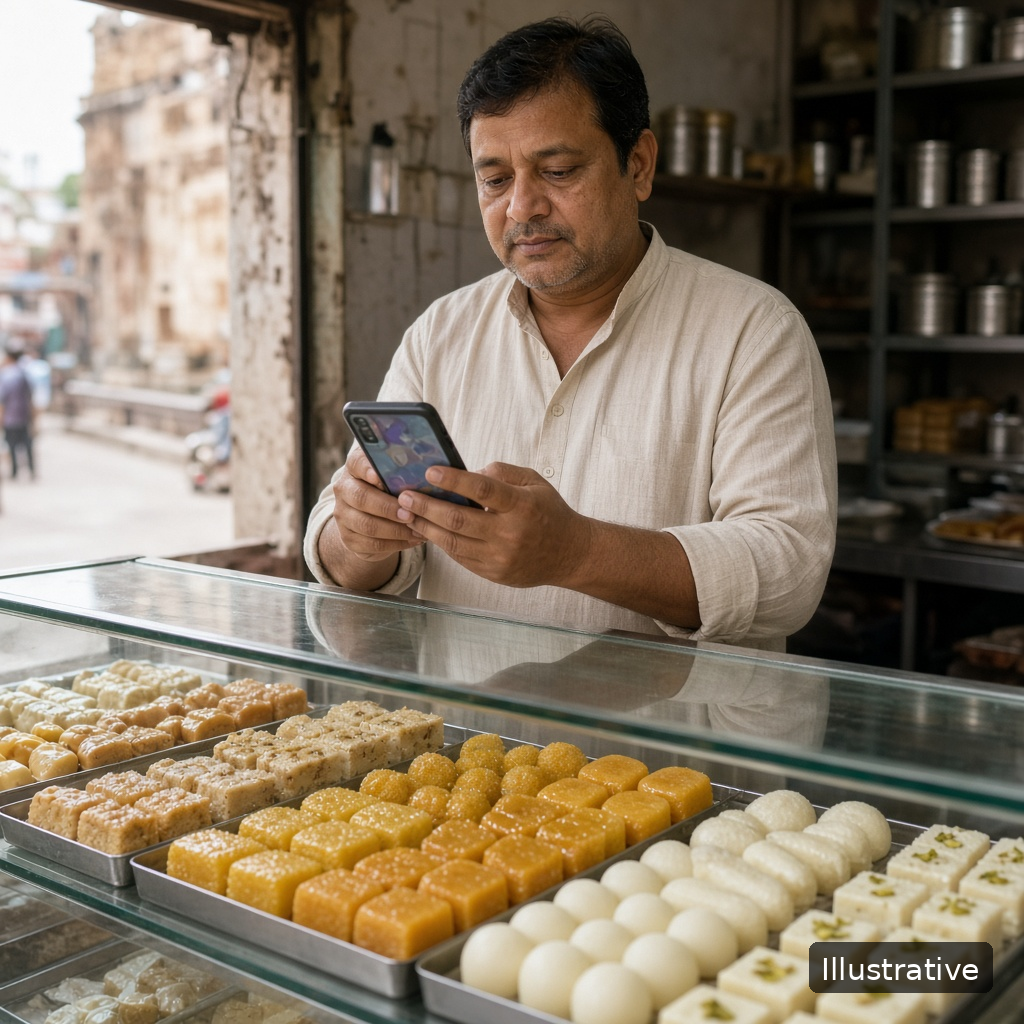
Illustration: a sweet shop owner behind a glass counter typing a message on his phone

Every small shop owner knows the dream: customers who asked about something hear back, regulars return without being chased, and the counter stays busy even on slow weekdays. The owner spends the day selling, not hunting through chats.

The obstacle is rarely the customer. It's the typing. A walk-in asks about a size that is out of stock, someone calls about a festive order, a regular wants to know when the new stock arrives. Each one needs a short message later, and writing it from scratch, at the right time, for every person, is exactly what gets skipped when the shop is busy.

Rules before the templates

  • Message people who asked. Follow up with customers who enquired or bought from you, not random numbers.
  • One message, one ask. A price, a question or an invitation. Not all three.
  • Keep it short and personal. Use the customer's name and what they asked about.
  • Space it out. One follow-up, then a later check-in. If someone says no or asks you to stop, note it and stop.
  • Set the next date as you send. Every message should end with you knowing when to check back.

Eight templates you can adapt

Words in brackets are blanks you fill in for each customer.

1. Price enquiry, same day

"Hello [name], thank you for asking about [product] today. The price is [price]. Shall I keep one aside for you?"

2. Out of stock, back in

"Hello [name], the [product] you asked about is back in stock. Would you like me to hold one until [day]?"

3. Quote not answered

"Hello [name], just checking if you had a chance to look at the price for [product]. Happy to answer any questions."

4. Festive or bulk order

"Hello [name], we are taking [festival] orders now. If you need [product] for gifting, tell me the quantity and date and I'll confirm."

5. After the purchase

"Hello [name], thank you for buying [product]. Is everything working well? Message me here if you need anything."

6. Repeat need

"Hello [name], it's been about [time] since your last [product]. Shall I keep the usual ready for you?"

7. Quiet customer

"Hello [name], we haven't seen you in a while. New [category] has arrived this week; drop by if you're nearby."

8. Closing the loop

"Hello [name], I won't keep messaging about [product]. If you need it later, just reply here and I'll help."

Turning templates into a daily habit

  1. Save each enquiry as a lead with the product and a one-line note.
  2. Pick the template that fits and set a follow-up date when you note the enquiry.
  3. Each morning, send the day's messages in one sitting, before the shop gets busy.
  4. After each reply, update the note and the next date. A customer who said "next week" gets next week's date.

A family-run sweet shop saves each festive order enquiry on the shop phone with the product and a follow-up date. Every morning the owner opens the day's list, picks the festive template, and works through the chats before the first customers arrive.

Illustrative example.

How KroLead helps shops follow up on WhatsApp

KroLead is an Android CRM for small businesses, and shops can pick Retail & Distributions at signup. The features below come from Google Play and krolead.com:

  • Message templates, predefined or your own, with placeholders that fill in automatically from each lead's data.
  • Bulk Message: pick WhatsApp or another supported messaging app, choose a template, filter and select customers, and set the pace. Each chat then opens with the text already in place; you press Send yourself, chat by chat. Nothing goes out on its own.
  • Products with an amount, linked to each lead, so you know what every customer asked about.
  • Unlimited tags such as Festive order or Regular, to filter who gets which message.
  • The 30-day Agenda Calendar plus phone reminders bring up each day's messages at the right time.
  • After a call from a number you haven't saved, a pop-up lets you turn it into a lead. You can also add leads by hand or import a CSV.
  • Relationship Care: once a customer is marked Closed Won, KroLead puts them on a monthly check-in schedule, a natural moment for template 6.

Core lead records keep working without internet and sync later. KroLead is available in 32 languages.

Start with 1 month free, then from ₹239/month ($8) per user. The pricing section of krolead.com has the details.

Get KroLead on Google Play and message every customer who asked Free for the first month.

See all features and pricing at krolead.com.

FAQ

How often should a shop follow up on WhatsApp?

Once soon after the enquiry, then one later check-in. Stop if the customer says no or asks you to stop.

Will KroLead message customers for me?

No. Bulk Message opens each customer's chat with your text ready, and you press Send in each one.

Can I write templates in my own language?

Yes. Custom templates are text you write yourself, so use whatever language your customers read best.

Which messaging apps does it work with?

Bulk Message lets you pick WhatsApp or another supported messaging app, including regional ones.

CRM for Clinics: Managing Patient Enquiries and Callbacks

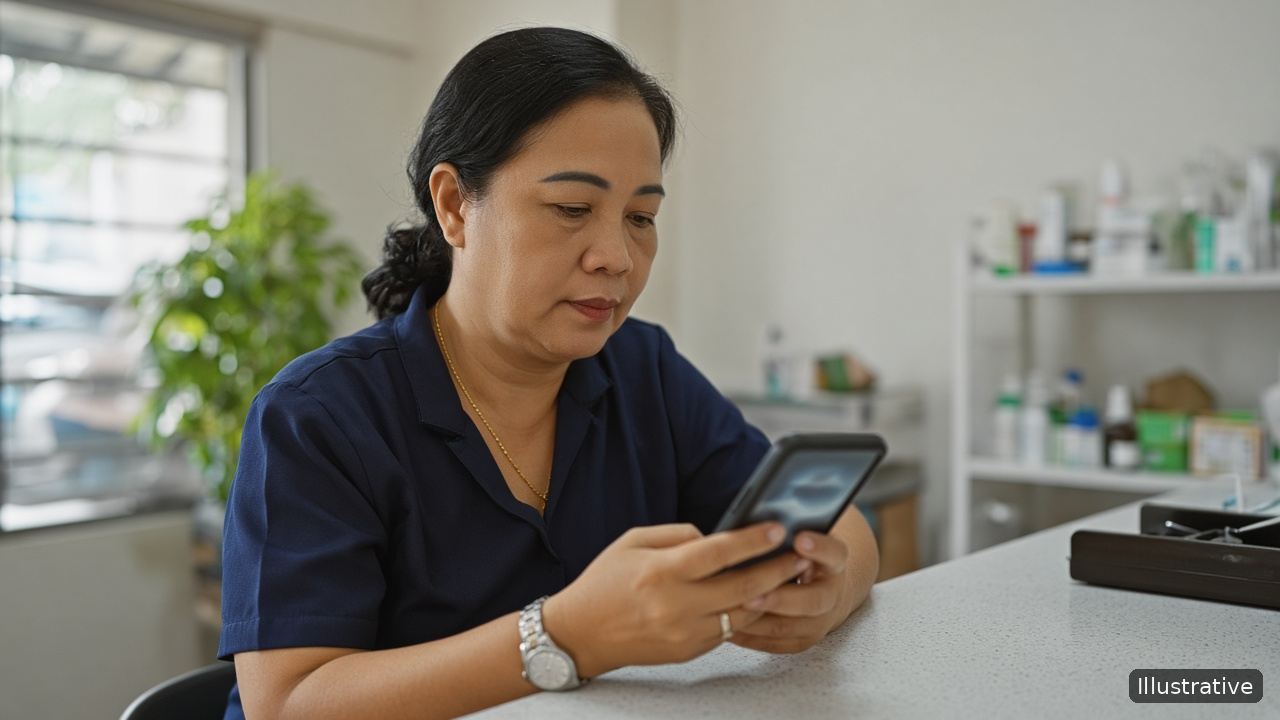
Illustration: a clinic front-desk manager at a reception counter checking callbacks on her phone

Most small clinics share the same quiet dream: every person who calls or walks in with a question gets a clear answer and a callback when one was promised, and the front desk closes each evening with nothing left hanging. Patients feel looked after before they ever sit in the consultation room.

The obstacle is the pace of the front desk. The phone rings while someone is paying, a patient asks about a treatment package, a parent wants to know the doctor's timings for Saturday. The receptionist says "we'll call you back", writes a number on a sticky note, and the next shift never sees it. Nobody is careless. The system simply depends on memory.

Where clinic enquiries get lost

  • Many entry points. Phone calls, walk-ins, messages and referrals all arrive at once, and each lands in a different place.
  • Shift changes. The morning receptionist promised a callback; the evening receptionist has no idea.
  • No owner. When a doctor, a nurse and the front desk all hear about the same enquiry, each one thinks another person has it covered.
  • No date. "Call back later" is not a plan. Without a day and a time, it becomes "never".

A simple front-desk system

  1. Log every enquiry in one place. Name, phone and one line: what they asked and what you promised. "Asked about physiotherapy package, wants weekend slots, promised to confirm timings by 5 PM" is enough.
  2. Label the enquiry type. Keep it short: New consultation, Treatment or package, Follow-up visit, General question. Labels let you see at a glance what kind of work is waiting.
  3. Give each enquiry one owner. Usually the person who took it. If it needs a doctor's input, the owner still makes the callback.
  4. Set a callback date and time before you move on. If you promised "this evening", put this evening on it.
  5. Hand over at shift change. The outgoing receptionist checks that every open enquiry has an owner and a time. The incoming one starts from that list, not from sticky notes.

Callback rules that keep patients' trust

  • Call when you said you would. A late callback feels worse than a quick "we're still checking".
  • Answer the question first. Give the timing or availability they asked about, then offer to book.
  • One gentle reminder, not five. If someone doesn't reply, try once more on a later date, then close the enquiry with a short note.
  • Stay in touch after the visit when the patient wants it. A check-in message about the next recommended visit is helpful; repeated sales calls are not.

Keep only what the callback needs

A front-desk enquiry record is not a medical file. Store the contact details, what was asked and the next step. Keep detailed health information in your clinic's patient records, not in sales notes on a phone.

A small dental practice logs every phone and walk-in enquiry on the reception phone with a type label and a callback time. At the end of each shift, the receptionist checks the open list and passes anything unfinished to the next person, so no promised callback depends on a sticky note.

Illustrative example.

How KroLead helps a clinic front desk

KroLead is an Android CRM for small businesses and teams that work over the phone, and Healthcare is a category you can choose at signup. Everything below appears on Google Play or krolead.com:

  • When a call from an unknown number ends, a pop-up offers to save it as a lead, so a new enquiry is captured before the next patient walks up. Leads can also be added by hand or imported from a CSV file.
  • As many tags as you need, named your way (New consultation, Treatment package), plus a note field on each lead.
  • The 30-day Agenda Calendar, where each day shows its callbacks, a count of leads still waiting for a next date, and phone notifications when a callback is due.
  • Call Pilot (optional): before you pick up a returning caller, a pop-up on top of the call screen lists the lead's name, tags and stage, when the next follow-up is due, and the two most recent conversations, so whoever is at the desk knows the context.
  • Tasks with on-time reminders for to-dos such as "confirm Saturday timings".
  • Separate employee seats under the owner, so every receptionist works their own enquiries, and Team Chat, where a lead can be passed to whoever takes the next shift.
  • Reusable templates plus Bulk Message for callback or check-in messages on WhatsApp: the app opens one chat at a time with the text ready, and a person presses Send on each.
  • Lead data is encrypted on the phone and in sync, the app has a biometric lock, and owner-only Audit Logs keep a log of who opened, updated, moved or deleted leads.

Core lead records stay usable without internet and catch up once the phone is connected again. KroLead is available in 32 languages.

Start with 1 month free, then from ₹239/month ($8) per user. The pricing section of krolead.com has the details.

Download KroLead on Google Play and give every patient enquiry a callback Free for the first month.

See all features and pricing at krolead.com.

FAQ

Is KroLead a patient records or appointment system?

No. It is a CRM for enquiries, callbacks and follow-ups. Keep medical records in your clinic's own patient system.

What should the front desk write for each enquiry?

Name, phone, one line on what was asked and promised, a type label and a callback date and time.

How do we stop callbacks getting lost between shifts?

Give every open enquiry an owner and a time, and have the incoming receptionist start from that list at each shift change.

Can several receptionists use it?

Yes. The owner adds each person as an employee seat, and each one signs in through Team Login on their own phone.

3.11.26

Real Estate Lead Follow-Up: Site Visits to Closing


Illustration: a property agent in a furnished apartment checking his phone at a table

Most property agents and small brokerages share one dream: a steady flow of closings every month, where every serious buyer is looked after from the first call to the day they get the keys, and no good enquiry slips away because someone forgot to call back.

What stands in the way is the length of the journey. A buyer may enquire today, visit two properties next week, take a month to arrange finance and bring the family for a second visit after that. Over those weeks the details pile up: budget, preferred areas, which flats they saw, what they didn't like. When they live in a diary and a call log, the buyer who was "very interested" quietly buys through another agent.

The stages of a property deal

Name your stages after what actually happens, so anyone on the team can see where each buyer is:

  1. New enquiry: a call, walk-in or message, not yet spoken to properly.
  2. Requirement understood: budget, area, type of property and timeline noted.
  3. Site visit scheduled or done: which properties, and the buyer's reaction to each.
  4. Negotiation: price discussion, finance and paperwork.
  5. Won or lost: closed, or dropped with a short reason.

A follow-up plan for each stage

New enquiry: call the same day

Property buyers often enquire with several agents at once. The first agent who calls back and asks good questions usually gets the visit. Ask about budget, area, timeline and who else is involved in the decision, and write it down in one or two lines.

Before the site visit: confirm and prepare

Confirm the time the day before. Shortlist two or three properties that match the notes rather than showing everything you have. Re-read the buyer's requirement just before you meet them.

After the site visit: follow up within a day

Call or message the next day while the visit is fresh. Ask what they liked and what put them off, and note it against each property. Then agree the next step with a date: a second visit, a meeting with family, or a price discussion.

Negotiation: keep the dates tight

This is where most deals stall. Every open point (price, finance, documents) needs an owner and a date. If the buyer goes quiet, a short check-in every few days with one useful update works better than repeated "any decision?" calls.

After closing: stay in touch

A happy buyer is your best source of referrals, and investors often buy again. Schedule a check-in a few weeks after the keys are handed over, then every few months.

Lost leads: try again later

A buyer who wasn't ready this quarter may be ready next quarter. Note the reason they dropped out and set a date to try again.

A two-person brokerage notes each buyer's budget and preferred areas after the first call, logs the buyer's reaction after every site visit, and sets the next follow-up date before leaving the property. Each morning, both agents start with the day's due and overdue follow-ups.

Illustrative example.

How KroLead helps agents follow up on every buyer

KroLead is an Android CRM for small businesses and sales teams that sell over the phone, and Real Estate is one of its signup categories. These features are listed on Google Play and krolead.com:

  • Custom pipeline stages you can rename to match your process, plus Closed Won and Closed Lost.
  • Notes, tags (such as area or budget range), products with an amount for each property or project, and the next action on every lead.
  • A 30-day Agenda Calendar with due and overdue follow-ups and reminders on your phone, so site-visit follow-ups don't slip.
  • Call Pilot (optional): when a buyer calls, a pop-up shows their name, tags, stage, next follow-up date and last 2 conversations, so you know who it is before you answer. After the call, you log a note and the next date in one step, and calls from unknown numbers can be saved as new leads.
  • Relationship Care: won and lost leads move out of the Agenda, and won customers are scheduled for regular check-ins for referrals and repeat business.
  • Owner and employee seats with lead assignment, a Leaderboard of calls and talk time, and Team Chat to share a lead with a colleague.
  • Message templates and Bulk Message for WhatsApp: each chat opens with your message filled in, and you tap Send.

KroLead doesn't pull leads in from property portals automatically. You add them by hand, import a CSV, or save them from the post-call pop-up. Core lead records work offline and sync when you are back online, which helps at sites with weak signal, and the app is available in 32 languages.

Start with 1 month free, then from ₹239/month ($8) per user. The pricing section of krolead.com has the details.

Download KroLead on Google Play and follow every buyer from enquiry to keys Free for the first month.

See all features and pricing at krolead.com.

FAQ

How quickly should a real estate agent call back an enquiry?

The same day. Buyers often contact several agents, and the one who calls back first with useful questions usually gets the site visit.

What should I note after a site visit?

Which properties they saw, what they liked and disliked about each, and the agreed next step with a date.

How often should I follow up with a buyer who has gone quiet?

A short check-in every few days during negotiation, each with one useful update. If they pause their search, set a date to try again later instead of dropping them.

Can KroLead import leads from property portals?

Not automatically. You can add leads by hand, import them from a CSV file, or save a caller as a lead from the post-call pop-up.

Trade Show Follow-Up: The First 72 Hours

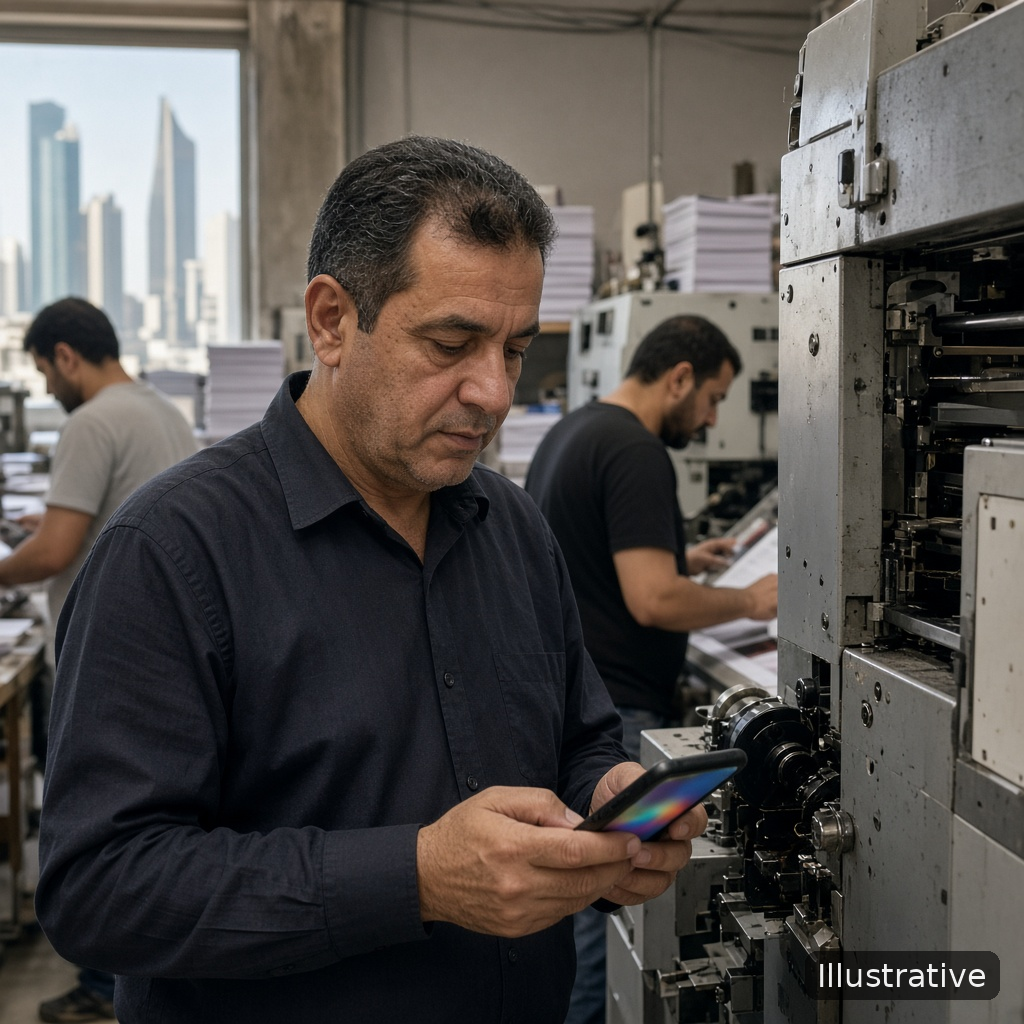
Illustration: a business owner checking his phone on his workshop floor while two staff work in the background

Every owner who books a stall at a trade fair has the same dream: come home with a stack of real enquiries and turn a good share of them into orders over the next few weeks, so the stall pays for itself many times over.

What stands in the way is rarely the event itself. It's the days after it. Visiting cards sit in a bag, notes are scribbled on the back of brochures, and everyone goes back to normal work on Monday. By the time someone starts calling, the visitor has met twenty other sellers and can't remember your stall.

Why trade show leads go cold

  • Nobody owns the follow-up. The whole team met visitors, so everyone assumes someone else will call.
  • The context is lost. A card says who the person is, not what they wanted, what you showed them or what you promised.
  • Every lead gets the same treatment. A buyer who asked for a quote and a student who took a brochure end up on the same list.
  • The first message is too late. Interest is highest in the first few days and fades quickly after that.

Before the event: set up the system

  1. Decide who follows up which leads. By product, area or by the person who met the visitor. Write it down before the first day.
  2. Agree on three labels. Hot (wants a price or a visit), Warm (interested, not ready) and Info (collecting brochures). Simple labels get used; long forms don't.
  3. Agree on a one-line note. What they want, what you showed them, and what you promised. "Wants 500 boxes, showed printed sample, promised price by Wednesday" is enough.

The first 72 hours, step by step

  1. Same evening: enter every lead. Name, phone, company, the label and the one-line note, while the conversation is still fresh. Don't leave the cards for the weekend.
  2. Same evening: give every lead a next step and a date. Hot leads get a call the next working day. Warm leads get a message within two days and a call later in the week. Info leads get a short thank-you message.
  3. Day 1: call the hot leads first. Mention something specific from the stall ("you asked about the printed boxes") so they place you straight away.
  4. Day 1 to 2: send what you promised. Price, catalogue or sample photos, exactly as discussed at the stall.
  5. Day 2 to 3: message the warm leads. A short, personal note beats a long brochure. Ask one easy question, such as when they plan to buy.
  6. Day 3: review the list together. Ten minutes with the team: which hot leads have been called, which quotes are out, and what the next date is for each one.

After the first week

Most trade fair buyers don't decide in three days. Keep a clear next date on every lead that is still open, and move each one through your stages as it progresses: quote sent, negotiation, won or lost. Leads that go quiet should come back up on a later date instead of disappearing.

A packaging supplier enters every visitor from a regional fair into the team's CRM the same evening, tags them by fair and by label, and assigns the hot leads to the two salespeople who met them. Each lead gets a follow-up date for the next working day, so the morning after the fair starts with a list of calls instead of a bag of cards.

Illustrative example.

How KroLead helps you follow up after an event

KroLead is an Android CRM for small businesses and sales teams that sell over the phone. These features are listed on Google Play and krolead.com:

  • Add leads by hand from your phone, or import a CSV file if the visitor list is in a spreadsheet.
  • Unlimited tags you create yourself, such as the event name or Hot, Warm and Info, so the event's leads are easy to pick out later. (KroLead doesn't record where a lead came from by itself; a tag is how your team marks it.)
  • Notes, a product and deal value, and the next action on every lead, so the stall conversation stays with the record.
  • A 30-day Agenda Calendar with due and overdue follow-ups and follow-up reminders on your phone, so the day-1 and day-3 calls actually come up.
  • Lead assignment for owner and employee seats, so each salesperson knows which visitors are theirs.
  • Call Pilot (optional): a pop-up before a call shows the lead's name, tags, stage, next follow-up date and recent notes, and after the call you can log a note and the next date in one step.
  • Message templates and Bulk Message for sending a thank-you note on WhatsApp: the app opens each chat with the message filled in, and you tap Send for each one.
  • Team Chat, so the team can share a lead and discuss it inside the app.

Core lead records work offline and sync when you are back online, which helps in exhibition halls with weak signal. The app is available in 32 languages.

Start with 1 month free, then from ₹239/month ($8) per user. The pricing section of krolead.com has the details.

Download KroLead on Google Play and follow up on every visitor from your stall Free for the first month.

See all features and pricing at krolead.com.

FAQ

How soon should I follow up after a trade show?

Call the hot leads on the next working day, and message the rest within two or three days, while they still remember your stall.

What should I write down when I meet a visitor?

One line: what they want, what you showed them and what you promised. Add a label such as Hot, Warm or Info.

Should every trade show lead get the same message?

No. Buyers who asked for a price need a call and a quote. Visitors who only took a brochure need a short thank-you note and a later check-in.

How do I see which leads came from one event?

Tag every lead with the event's name when you enter it. That way the team can pick out those leads later and check who has been called and what is still open.

2.11.26

Simple Sales Pipeline: Stages, Examples and a Free Template

Illustration: a small team around a table reviewing their week's deals

Many owners share a simple dream: to look at one page on Monday morning and know exactly how many deals are close, which ones are stuck, and what the team should do this week to finish the month strong.

What stands in the way is that most small businesses have no pipeline at all, or one with so many stages that nobody updates it. Leads sit in a diary, a spreadsheet and three chat groups, and "how is the month looking?" gets answered with a guess.

What a sales pipeline is

A sales pipeline is a list of your open leads, grouped by how far each one has come, from first enquiry to a decision. It shows at a glance how many deals are in progress, where they get stuck and what comes next.

Six stages that work for most small businesses

You do not need a complicated sales process. These six stages fit shops, service businesses, agents and small B2B sellers. Each has a clear rule for when a lead moves on.

  1. New. A lead has just come in by call, walk-in, referral or form. Move on when you have a name, phone number and source written down.
  2. Contacted. You have reached the lead at least once. Move on when you know their need and a next step is agreed.
  3. Qualified. They have a real need, a budget and a decision-maker you can reach. Move on when they ask for a quote, demo or visit.
  4. Proposal sent. You have shared a price, quote or offer. Move on when they accept, negotiate or say no.
  5. Won. They have agreed to buy. The deal is done when the order or payment is confirmed.
  6. Lost. They decided not to buy, for now. Note the reason and, if it makes sense, a date to try again.

Examples by business type

Keep the six steps, but rename them in your own words so the team uses them naturally:

  • Coaching institute: Enquiry, Counselling call, Campus visit, Fee shared, Admitted, Not joining.
  • Interior designer: Enquiry, Site visit booked, Requirement clear, Design and quote sent, Order confirmed, Dropped.
  • Distributor: New retailer, First call, Sample given, Price list sent, First order, Not interested.

Rules that keep a pipeline honest

  • One next action and date on every open lead. A lead with no date is a lead that will go cold.
  • Move a lead only when it meets the exit rule. Hope is not a stage. "They sounded interested" is still Contacted.
  • Close leads as Lost when they are lost. A clean Lost list is more useful than a pipeline full of deals that will never happen.
  • Count leads per stage every week. If many leads stop at Proposal sent, work on quote follow-up. If many stop at Contacted, look at how you qualify.

Download the free template

To start today, use our free template. It works in Excel or Google Sheets, and the PDF explains each stage on one page.

Add every new lead the same day, sort the sheet by follow-up date each morning, and work what is due or overdue first.

A small tile shop owner copies the template into a spreadsheet and asks both salespeople to fill in the stage and the next date for every enquiry. On Monday, he sorts by stage and sees that several quotes have had no follow-up, so the week starts with those calls.

Illustrative example.

When the spreadsheet is not enough

A spreadsheet is a good start for one person. With a team, people work from their phones, forget to update the sheet, and nobody gets a reminder when a follow-up is due. That is when a mobile CRM helps.

KroLead is an Android CRM for small businesses and sales teams that sell over the phone. These features are listed on Google Play and krolead.com:

  • Custom pipeline stages you can rename to match your business, with notes, a lead owner and the next action on every lead.
  • Pipeline substages, so each team member can split their part of the pipeline into steps such as New enquiry, Contacted and Meeting scheduled, with a lead count for every substage.
  • A 30-day Agenda Calendar with due and overdue follow-ups and follow-up alarms.
  • CSV import, so the leads in your template come with you, and CSV export whenever you need it.
  • Call Pilot (optional): the lead's stage and next follow-up date pop up before you answer, and you log the call in one tap afterwards.
  • Separate Won and Lost tabs for check-ins and recovery calls, plus Team Chat to discuss a lead with a colleague.

Core lead records work offline and sync when you are back online, and the app is available in 32 languages.

Start with 1 month free, then from ₹239/month ($8) per user. The pricing section of krolead.com has the details.

Download KroLead on Google Play and move your pipeline to your phone Free for the first month.

See all features and pricing at krolead.com.

FAQ

How many stages should a small business pipeline have?

Five to seven is enough for most. Six (New, Contacted, Qualified, Proposal sent, Won, Lost) is a good starting point.

What is the difference between a sales pipeline and a sales funnel?

A pipeline tracks each deal and the next step on it. A funnel looks at the totals, such as how many enquiries became customers.

Can I use the template in Google Sheets?

Yes. Open the CSV file in Google Sheets or Excel, delete the sample rows and add your own leads.

Can I move my template leads into KroLead later?

Yes. KroLead supports CSV import, so you can bring your spreadsheet leads into the app.

Handing Over Leads When a Salesperson Leaves

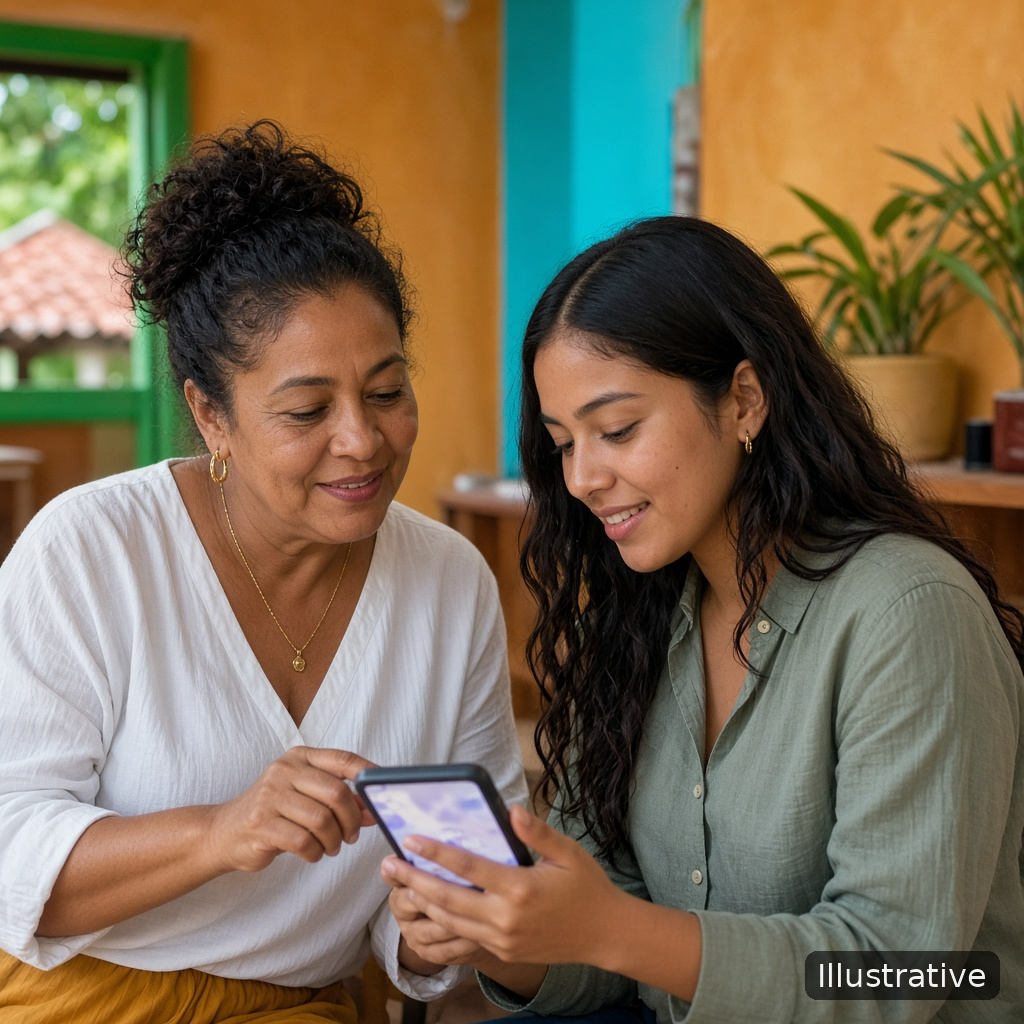
Illustration: two colleagues looking at a phone together as one shows the other her customer list

Most owners dream of a business whose customers belong to the business, not to one person. A team where anyone can pick up a customer's file, see what was promised, and carry on the conversation as if nothing changed, even on the day a star salesperson hands in their notice.

What stands in the way is where the work lives. Notes sit in one person's notebook, the next call date sits in their memory, and the latest price was agreed in a chat on their personal phone. When that person leaves, the open deals go quiet. Customers who were ready to buy wait for a call that never comes, and some of them buy elsewhere.

Why handovers go wrong

  • The notice period is spent on new work. Nobody plans the handover until the last day, when there is no time left to explain fifty leads.
  • Only the hot deals get passed on. Half-warm leads and customers due for a repeat order are forgotten, though they are often the easiest sales.
  • The customer is not told. A new voice calls with no context, and the customer has to explain everything again.
  • Follow-up dates are lost. Even when the list is handed over, the "call on Thursday" promises are not.

A lead handover checklist

Use these steps whenever someone leaves, moves to another role or goes on long leave.

  1. Start on the first day of the notice period. Agree the date when the handover should be finished, a few days before the last working day.
  2. List every open lead, not just the big ones. Include enquiries, quotes sent, deals in negotiation and won customers who are due a check-in.
  3. Bring each record up to date. For every lead: current stage, what the customer wants, what was promised, the last price shared and the next action with a date. One clear line beats a long story.
  4. Decide who takes over which leads. Split by area, product or customer type rather than at random, so each new owner gets leads they can actually serve.
  5. Do a joint call for the most important customers. The leaving salesperson introduces the colleague, so the customer hears the change from someone they trust.
  6. Message the rest. A short, polite note is enough: who their new contact is and when they will hear from them.
  7. Keep every follow-up date. The new owner should call on the day the customer was promised, not a week later.
  8. Review after two weeks. Check that every handed-over lead has had a call and still has a next step.

Make the next handover easier

The best handover is the one that is already done before anyone resigns. That happens when the team keeps notes in one shared place every day, not in personal diaries and chats.

  • Write a short note after every call or visit, while it is fresh.
  • Give every open lead a next action and a date.
  • Use the same stage names and tags across the team, so anyone can read anyone's list.
  • Talk about customers in a shared team space, not in private chats that leave with the phone.

A furniture showroom owner asks each salesperson to add a one-line note and a follow-up date after every customer conversation. When one of them moves to another city, the owner reassigns her open leads to two colleagues by area. They call each customer on the dates already set, starting with the ones who had asked for a quote.

Illustrative example.

How KroLead helps keep customers with the business

KroLead is an Android CRM for small businesses and sales teams that sell over the phone. These features are listed on Google Play and krolead.com:

  • Lead owner, custom pipeline stages, notes and the next action on every lead, so the record carries the context, not a person's memory.
  • Owner and employee seats with lead assignment and lead counts on employee cards, so you can see who holds which leads and give them to the colleague taking over.
  • A 30-day Agenda Calendar with due and overdue follow-ups and follow-up alarms, so the promised call dates carry on with the new owner.
  • Call Pilot (optional): a pop-up before you answer shows the lead's name, stage, next follow-up date and last 2 conversations, so the new owner is not starting from zero when a customer calls.
  • Team Chat, where staff can share a lead with a colleague and discuss it inside the app.
  • Audit logs, owner-only settings and owner approval for stage changes, plus CSV export of your leads.
  • Separate Won and Lost tabs, so past customers due a check-in are not forgotten in the handover.

Core lead records work offline and sync when you are back online, and the app is available in 32 languages.

Start with 1 month free, then from ₹239/month ($8) per user. The pricing section of krolead.com has the details.

Download KroLead on Google Play and keep every lead with your business Free for the first month.

See all features and pricing at krolead.com.

FAQ

When should a lead handover start?

On the first day of the notice period. Leave the last few days for joint calls and questions, not for writing notes.

Should customers be told that their salesperson is leaving?

Yes. A short introduction to the new contact avoids confusion and shows the customer they are still looked after.

Which leads should be handed over first?

Leads with a follow-up due soon and deals where a quote has been sent. Then the rest of the open leads, then past customers due a check-in.

How do I stop losing customers the next time someone leaves?

Keep notes, stages and next dates in one shared CRM every day, so the handover is mostly done before anyone resigns.

1.11.26

CRM in Your Own Language: Hindi and Other Indian Languages

Illustration: a small business owner talking through a new routine with staff around a whiteboard

Many owners share the same dream: a sales team that keeps every lead moving even on the days the owner is not in the office. Every enquiry gets a call, every call gets a note, and every customer has a next step, without the owner chasing anyone.

What often stands in the way is not effort. It is language. A sales app that only speaks English can feel like paperwork to someone who thinks, sells and writes notes more comfortably in Hindi or another Indian language. Notes get skipped, fields stay empty, and the app slowly turns into something only the owner opens.

Why language decides whether a CRM gets used

A CRM only helps if the team fills it in every day. That habit depends on how easy the app feels in the first few minutes after a call. When the menus and buttons are in a language a salesperson reads quickly, three things change:

  • Less hesitation. People do not stop to work out what a button means, so logging a call takes seconds.
  • Better notes. Staff write what the customer actually said, instead of a single word typed in a hurry.
  • Fewer mistakes. Choosing the wrong stage or the wrong date happens less when every label is clear.

For owners, the result is simple: more of the day's work ends up in one place where the whole team can see it.

What to check before you choose an app

"Available in Hindi" can mean very different things. Before you commit, check these points yourself on a phone:

  1. The working screens, not just the website. Install the app and look at the screens your team will use every day: the lead list, the follow-up calendar and the screen after a call.
  2. The languages your team actually reads. Make a list of the languages your staff are most comfortable in, and check each one on the store listing.
  3. Free trial time. Give at least one salesperson a few real days with the app in their language before you decide.
  4. Messages to customers. Check whether you can write your own message templates, so customers get messages in the language they prefer.
  5. Offline use. If your team travels or works in markets with weak signal, make sure lead records still open without internet.

Rolling out a CRM in a mixed-language team

Many Indian teams speak more than one language. One salesperson may prefer Hindi, another a regional language, and the owner may read reports in English. That is fine, as long as the shared parts stay consistent.

  • Agree on stage names. Pipeline stages are shared by everyone, so pick short names the whole team understands and keep them the same.
  • Agree on tags. Use one spelling for each tag, such as a city or product, so lists stay tidy.
  • Let notes be natural. A note is for the next person who calls the customer. Write it in whatever language the team can read back quickly.
  • Train in the first week. Sit with each person once, log one real call together, and set one follow-up. Habits form in the first few days.

Customer messages in their language

Your customers have language preferences too. A short follow-up message in the language a customer used on the phone often feels more personal than a formal English one. Keep a small set of templates for the messages you send most, such as a thank-you after a visit, a quote reminder and a payment reminder, and write each one in the languages your customers use.

Using KroLead in Hindi and other languages

KroLead is an Android CRM for small businesses and sales teams that sell over the phone. According to its Google Play listing, you can use KroLead in 32 languages. There is also a Hindi version of krolead.com for owners who prefer to read about the app in Hindi.

Alongside the language support, these features are listed on Google Play and krolead.com:

  • A 30-day Agenda Calendar with due and overdue follow-ups and follow-up alarms.
  • Call Pilot (optional), which shows the lead's details before you answer and gives one-tap logging after the call.
  • Custom pipeline stages, tags and notes on every lead.
  • One-tap WhatsApp templates; Bulk Message opens each chat with the message prefilled, and you tap Send for each one.
  • Core lead records that work offline and sync when you are back online.
  • Team Chat, so owners and staff can discuss a lead inside the app.

Start with 1 month free, then from ₹239/month ($8) per user. The pricing section of krolead.com has the details.

Download KroLead on Google Play and try it in your team's language Free for the first month.

See all features and pricing at krolead.com.

FAQ

Is there a CRM app in Hindi?

Yes. KroLead's Google Play listing says the app can be used in 32 languages.

How many languages does KroLead support?

KroLead is available in 32 languages.

Can different people in my team prefer different languages?

Yes, that is common. Keep stage names and tags consistent so shared lists stay clear, and test the language each person needs during the free month.

Do notes and templates have to be in English?

No. Notes and custom message templates are text you type yourself, so write them in the language your team and customers read best.

Lead Sources: Tracking Where Each Enquiry Came From

Illustration: a textile wholesaler at his shop counter checking a new enquiry on his phone

Every owner has the same quiet dream: to know exactly where the next ten customers will come from, and to put money and time only into the places that bring them. No more guessing whether the newspaper ad, the stall at the local fair or the old customer who keeps sending friends is what really keeps the shop busy.

What stands in the way is rarely a lack of data. The data walks through the door every day. The problem is that nobody writes it down. A call comes in, the enquiry gets handled, and the single most useful question, "How did you hear about us?", is never asked or never noted. A month later, nobody can say which channel is worth paying for.

Why the source of a lead matters

Knowing the source of each enquiry helps you make three decisions with more confidence:

  • Where to spend. If most of your closed deals came from referrals and almost none from a paid listing, you know which one to cut and which one to reward.
  • How to follow up. A referral from a happy customer usually needs a warm, personal call. Someone who saw a poster may need more explanation first.
  • Who to thank. When a customer or partner keeps sending you business, a quick thank-you keeps that channel alive.

Pick a short list of sources

The biggest mistake is making the list too long. If staff have to choose from twenty options, they will pick the first one or skip it. Start with six to eight sources that match how your business actually gets customers. A typical small business list might be:

  • Walk-in
  • Phone call (number found online or on a board)
  • Referral from a customer
  • Referral from a partner or supplier
  • WhatsApp or social media message
  • Event, fair or exhibition
  • Paid ad or listing
  • Other (with a one-word note)

Use the same spelling every time. "Referral", "referal" and "ref" will look like three different sources when you count them later.

Ask the question in the first conversation

Make "How did you hear about us?" part of the first call or first visit, every time. It sounds natural when asked early, and it gets awkward if you wait until the third conversation. If the customer names a person, note the name too, so you can thank them later.

A tile showroom owner notices that his staff ask the question on every first call. After a month, the notes show that most serious buyers mention a local contractor, while the expensive roadside banner is rarely named. He arranges a visit to thank the contractor and reviews whether to renew the banner.

Illustrative example.

Review sources once a month

A source list is only useful if someone looks at it. Once a month, count new enquiries by source, then count how many of each became customers. A source that brings many enquiries but few sales may need a better follow-up routine, not more spending. A source that brings few enquiries but many sales is worth growing.

Keep this review short: fifteen minutes with a cup of tea is enough for most small businesses. Write down one decision each month, such as "call the contractor who sends us buyers" or "pause the listing for a month and compare".

Tracking lead sources in KroLead

KroLead does not attach a source to an enquiry automatically, and it does not pull leads in from ad platforms or property portals. What it gives you are simple tools that make the habit easy to keep on the phone you already use. These features are listed on Google Play and krolead.com:

  • Unlimited tags that you create yourself, so each source on your list can become a tag on the lead.
  • Notes on every lead, so the referrer's name or the event goes in the first line.
  • Call Pilot's after-call pop-up, which lets you log the call in one tap and offers to save an unknown caller as a new lead while the conversation is still fresh.
  • CSV import, so leads already kept in a spreadsheet come with you, and CSV export, so you can review your leads in a spreadsheet at month end.
  • Separate Won and Lost tabs, so you can see which enquiries turned into customers.
  • Team Chat, so staff can share a lead with a colleague and ask who referred it.

Your team can use the app in 32 languages, and core lead records work offline.

Start with 1 month free, then from ₹239/month ($8) per user. The pricing section of krolead.com has the details.

Download KroLead on Google Play and tag your next enquiry by source Free for the first month.

See all features and pricing at krolead.com.

FAQ

What is a lead source?

It is the place or person an enquiry came from, such as a walk-in, a referral, a phone call or an event.

How many lead sources should a small business track?

Start with six to eight. A short list gets filled in; a long one gets skipped.

What if the customer does not remember how they heard about us?

Choose "Other" and add a short note. Over a month, a few unknowns will not change the overall picture.

Does KroLead track lead sources automatically?

No. You add the source yourself, for example as a tag or in the first note, and review it each month.

How KroLead CallPilot Works: 4 Steps to Master Sales Calls

  • Discover how KroLead CallPilot shows caller history before you pick up, logs post-call notes in 1 tap, attaches call recordings, and syncs across your team.
  • call-based CRM Android, pre-call popup CRM, post-call follow-up app, automatic call recording CRM India, telecalling team collaboration app

Never Forget a Customer Call: How KroLead CallPilot Puts Every Sales Call Under Control in 4 Simple Steps

​When your small business, real estate brokerage, or field sales team runs on phone calls, the biggest cause of lost revenue isn't a lack of leads—it is context lag.

​A prospect calls you back 10 days after a site visit or product inquiry. While your phone is ringing, you are stuck flipping through a paper diary, scrolling through WhatsApp chats, or wishing your sales executive had updated the shared Excel sheet before leaving for the day. By the time you answer, you sound uncertain—and if you forget to schedule the next follow-up after hanging up, that buyer quietly moves on to a competitor.

​Traditional desktop CRMs fail call-heavy businesses because field reps and telecallers do not sit behind laptops filling out 14-field forms after every 45-second phone call. That is why we engineered CallPilot inside the KroLead Android CRM App—a mobile-first call assistant that automates your entire phone sales workflow in four simple steps.

Step 1: Incoming Call Shows Conversation History Before You Pick Up

Walking into a customer call blind puts you on the back foot. With KroLead Call-Based CRM, the moment an existing lead or customer calls your Android phone, CallPilot triggers a live pre-call overlay right on your screen before you swipe to answer:

Caller Identity & Location: Instantly see the customer's full name and location tag (even if their number isn't saved in your personal phonebook).

Deal Stage & Product Tag: Know immediately whether they are a New Enquiry, Site Visit Scheduled, Negotiation, or Closing prospect, along with the exact product or property they asked about.

Last 2 Conversations & AI Brief: Read your last 2 logged conversation notes (plus an optional 1-tap AI context summary) while the phone is still ringing so you can greet every client with total confidence.

Step 2: Post-Call Dialogue Captures Conversation Notes in 1 Tap

Most follow-ups fall through the cracks in the 10 seconds right after a call ends—when a second call comes in or you get busy on the shop floor.

Instead of asking you to open an app later in the evening, CallPilot pops up a lightweight Post-Call Dialogue the instant you hang up:

5-Second Conversation Logging: Type or voice-dictate a quick summary of what was discussed while the details are still fresh.

1-Tap Next Follow-Up Scheduling: Pick the exact date and time for your next callback, which automatically populates your rolling 30-Day Agenda Calendar.

Instant Stage & Product Updates: Move the deal forward across 5+ customizable pipeline stages and tap Log & Save once to lock it in.

Step 3: Call Recording Attaches Automatically to Customer Call History

Even the best handwritten notes can miss a subtle pricing condition, delivery timeline, or client objection mentioned mid-conversation.

With KroLead CallPilot, audio call recordings are automatically linked directly to that specific customer's call history timeline:

Timeline-Linked Playback: Open any lead profile to see a chronological feed of every call note paired with its exact audio recording (Play button and waveform scrubber).

Zero File Hunting: Never waste time digging through generic phone recorder folders with cryptic filenames (REC_20261031.mp3)—every recording lives right inside the client's deal record.

Dispute & Quality Verification: Replay exact customer commitments before sending a final quotation or dispatching an order.

Step 4: Full Real-Time Collaboration with Employees

If you manage telecallers, channel partners, or field sales executives, keeping customer data trapped in individual phones or paper diaries is a major business risk. When an employee is absent—or leaves your company—you lose visibility into active deals.

KroLead Telecalling & Team CRM brings all three steps above into a shared, role-based team workspace:

Live Owner + Employee Sync: Whenever an employee completes a call, logs a post-call note, or attaches a call recording, the owner and authorized team members see the updated history in real time.

Role-Based Access Control: Assign leads by product or territory, monitor daily call agendas across your staff, and revoke a seat in 1 tap if a team member leaves—keeping 100% of your customer history inside the company.

Zero-Access Data Privacy: Customer records are stored in an encrypted local database (100% biometric app lock support) and synced over encrypted TLS—even KroLead Pvt. Ltd. cannot view or access your private client phone numbers.

Frequently Asked Questions (FAQ)

​1. Does KroLead CallPilot work without an internet connection?

​Yes. KroLead Offline Android CRM is built on a local-first architecture. Pre-call popups, post-call note logging, call history timelines, and your 30-day Agenda Calendar work 100% offline in basements, construction sites, and low-signal areas, syncing automatically when connectivity returns.

​2. Is my customer database safe when I add employees to KroLead?

​Absolutely. Owners control employee seats and permissions from a central workspace, and all customer data is protected by on-device encryption and biometric lock (100% zero-access privacy—KroLead never reads, shares, or sells your leads).

​3. How much does KroLead cost for small businesses in India?

​KroLead starts at ₹239 per seat for 30 days (or ₹2,868 per seat/year with 100 monthly AI credits included), and $8 per seat/30 days globally.

​Ready to Put Every Customer Call Under Control?

​Stop losing deals to forgotten follow-ups and scattered notes. Install KroLead on Google Play today, or message our onboarding team on WhatsApp at +91 87002 40515 to set up your team workspace on www.krolead.com.